Sources
Record the provider or public context used for each consequential field. Coverage and refresh cadence are configuration-dependent and should be tested, not assumed.
Findymail operating path
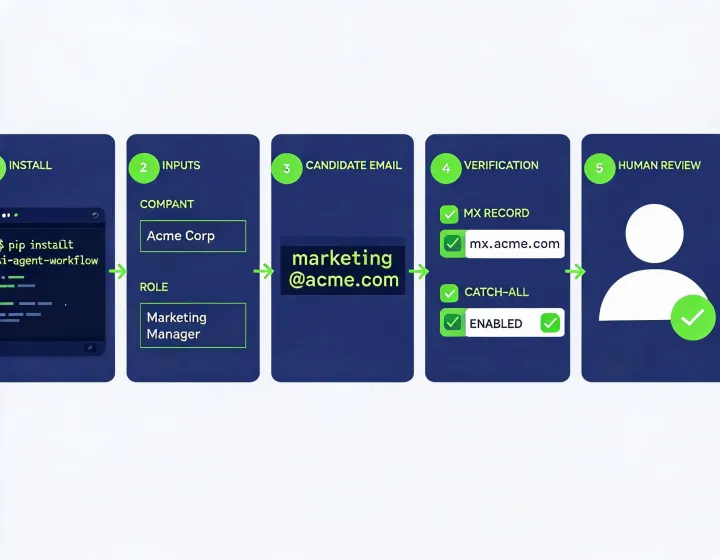
Findymail separates installation, configuration, result interpretation, and data governance so an SDR or RevOps operator can see what happened at each stage. The workflow does not treat an inferred address as verified, or a technical check as permission to send.
npx -y @okki-global/okki-go-taroballClipboard confirmation means only that the exact text was copied. Review it before execution.
Execute in the intended agent terminal after checking package identity and runtime policy. A clean process exit does not prove connector readiness.
Place provider credentials in a secret store, apply least privilege, choose an approved destination, and prevent secrets from entering prompts or logs.
Test a labeled company-and-role example. Keep source, checked time, found or inferred status, DNS or MX evidence, mailbox response, and uncertainty together.
Provider rate limits, greylisting, privacy-preserving mail servers, stale public records, and conflicting waterfall enrichment responses can all produce uncertain states. Preserve unknown rather than converting it into a confident pass.
Record the provider or public context used for each consequential field. Coverage and refresh cadence are configuration-dependent and should be tested, not assumed.
Keep credentials in the agent runtime secret store. Review scope, logging, rotation, revocation, and who can change connector settings.
Inspect package behavior, version, network calls, subprocesses, files, update path, and uninstall path in a controlled environment before production access.
Map copies written to logs, local files, CRM, engagement tools, and provider systems. Uninstalling a skill does not erase downstream records automatically.